

RoadSign Ace Permit Prep: A Feature Deep-Dive for Android
Most new drivers know the feeling: the permit test is coming up, the handbook is long, and it is hard to tell which topics you actually understand. This feature deep-dive looks at RoadSign Ace Permit Prep, a DMV permit practice test app for Android from ChatStick, and explains how each of its tools fits into a practical study plan.
What RoadSign Ace Permit Prep is built for
RoadSign Ace Permit Prep is an Education app on Google Play that helps new drivers study road signs, traffic rules, and DMV-style permit questions. It combines quick practice, visual flashcards, timed mock exams, and progress tracking, and it is designed for short daily sessions as well as deeper exam prep.
One important note up front: the app is an independent study tool. It is not affiliated with, endorsed by, or sponsored by any DMV or government agency, driving laws and test requirements vary by state, and it does not guarantee a pass. Use it alongside your official state handbook.
Feature 1: A 51-sign library that explains what to do
The sign library covers 51 road signs. Each entry gives the sign's meaning, the action a driver should take, common mistakes, and examples, so you learn the decision behind the sign rather than just its shape.
Warning and regulatory signs: the core of most permit tests
Guide and highway signs: for reading routes and exits
Construction, school zone, and railroad signs: situations that demand extra care
Parking, pedestrian, bicycle, and emergency-service signs: sharing the road safely
A flashcard mode lets you test visual sign recognition, which is ideal for a few minutes of review on a commute.
Feature 2: 170 permit questions across 15 topics
The question bank holds 170 DMV-style permit questions organized into 15 driving topics, including road signs, traffic signals, right-of-way, speed limits, parking rules, lane usage, school buses, and defensive driving. An answer explanation appears after every question, so each mistake becomes a short lesson.
Short on time? Start a quick 10-question session. Have an hour? Drill a single topic until it feels solid. Because every answer comes with an explanation, even a short session on a lunch break adds real understanding instead of just a score.
Feature 3: Nine timed mock exams
Once the basics are in place, the app offers 9 timed mock exams in several formats: quick, standard, full, signs-only, rules-only, mixed, and challenge. Practicing against the clock helps you get used to test-day pressure before the real thing.
Feature 4: Mistake Notebook and weak-topic review
Missed questions are collected automatically in the Mistake Notebook, and the app highlights your weakest topics based on your real results. You can also save favorite signs and questions for later review.
A simple routine that uses every feature
Read through the sign library, focusing on the required driver action for each sign.
Run a few minutes of sign flashcards every day.
Practice questions by topic and read every explanation.
Clear your Mistake Notebook regularly by re-answering missed questions.
Take a timed mock exam, then review the weak topics it reveals.
Progress tracking and motivation
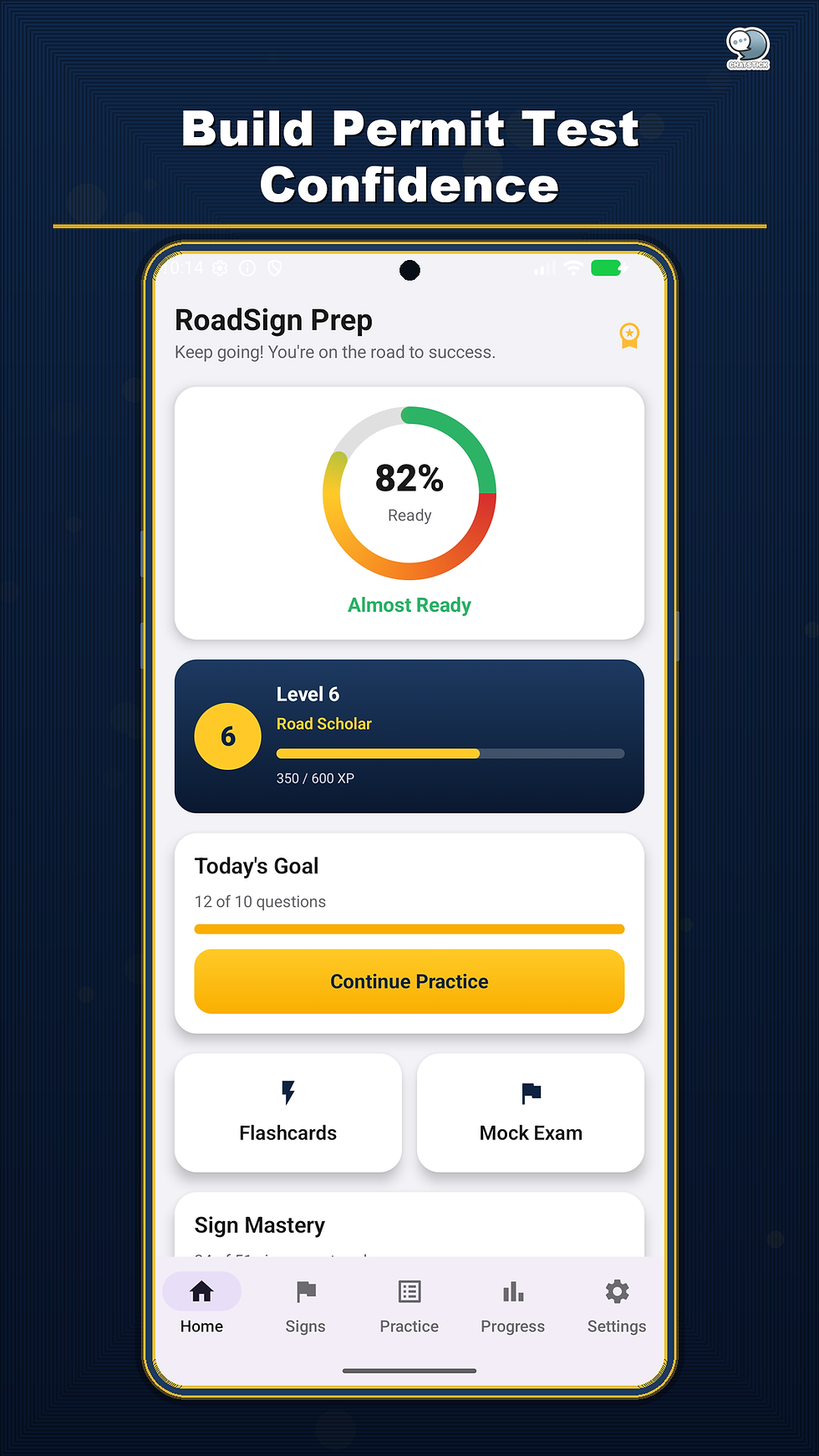
Readiness dashboard: accuracy, daily goals, streaks, mastered signs, and completed mock exams
XP, levels, and 21 achievements: small rewards that keep a daily habit going
Optional reminders and a test-date countdown: so you know how much time is left
App details
App name: RoadSign Ace Permit Prep by CS
Platform: Android, available on Google Play
Category: Education
Price: Free to download with ads. A single one-time "Unlock All Features" in-app purchase removes ads and unlocks the full sign library, premium topics, all mock exams, advanced analytics, the complete Mistake Notebook, and unlimited weak-topic review.
Data safety: According to Google Play, no data is collected and none is shared with third parties.
Developer: ChatStick Co., Ltd.
Frequently asked questions
How many questions and mock exams are included?
There are 170 DMV-style permit questions across 15 topics, plus 9 timed mock exams.
Is the app free?
Yes, core content is free with ads. A one-time "Unlock All Features" purchase removes ads and unlocks everything.
Is RoadSign Ace an official DMV app?
No. It is an independent study tool and is not affiliated with or endorsed by any DMV or government agency.
Will it match my state's test exactly?
Driving laws and test requirements can vary by state, so always check your official local DMV handbook for the most current rules.
Conclusion
RoadSign Ace Permit Prep brings the main tools of permit-test prep into one Android app: a 51-sign library, 170 explained questions, 9 timed mock exams, and a Mistake Notebook with weak-topic review. Paired with your state handbook, it gives you a clear, structured way to see what you know and what still needs work.
Explore more study and education apps on the ChatStick Co., Ltd. developer page on Google Play.


Comments