

8 Permit Test Study Tips: Learn Road Signs Faster with RoadSign Ace on Android
For many new drivers, the written permit exam feels harder than the road itself. You need to recognize dozens of road signs, remember right-of-way rules, speed limits and parking rules, and know what to do in special situations like school zones and railroad crossings. This guide shares eight permit test study tips you can use every day, and shows how RoadSign Ace Permit Prep by CS, an Android app on Google Play, helps you put them into practice.
Why new drivers struggle with the written test
The questions themselves are rarely the real problem. More often, learners skim the driver handbook once the night before, recognize a sign's shape but not the action it requires, or mix up signs that look alike. Rule questions, such as who goes first at an intersection or when you must stop for a school bus, also reward understanding over memorization. Effective preparation combines learning, regular review and repeated self-testing.
8 permit test study tips that actually work
Group signs before you memorize them: Study warning, regulatory, guide, construction, school zone, railroad, parking, pedestrian and bicycle signs as separate sets. Your brain links related signs far more easily than a random list.
Learn the action, not just the meaning: Test questions often ask what a driver should do. Pair every sign with its required action, such as slow down, stop or yield.
Study in short daily sessions: A few focused minutes every day beats a long cram session the night before your appointment.
Practice by topic: Give dedicated time to traffic signals, right-of-way, speed limits, parking rules, lane usage, school buses and defensive driving instead of only doing mixed quizzes.
Read every explanation, even when you are right: A lucky guess is not knowledge. Explanations confirm the reasoning so you can handle the same rule when the question is worded differently.
Keep a list of your mistakes: Missed questions show exactly where you are weak. Revisit them until you can answer confidently.
Take timed mock exams: Practicing under time pressure builds familiarity with test conditions and gives an honest picture of your readiness.
Always check your official handbook: Driving laws and exam requirements vary by state. Use your state's official driver handbook alongside any practice app.
Meet RoadSign Ace Permit Prep by ChatStick
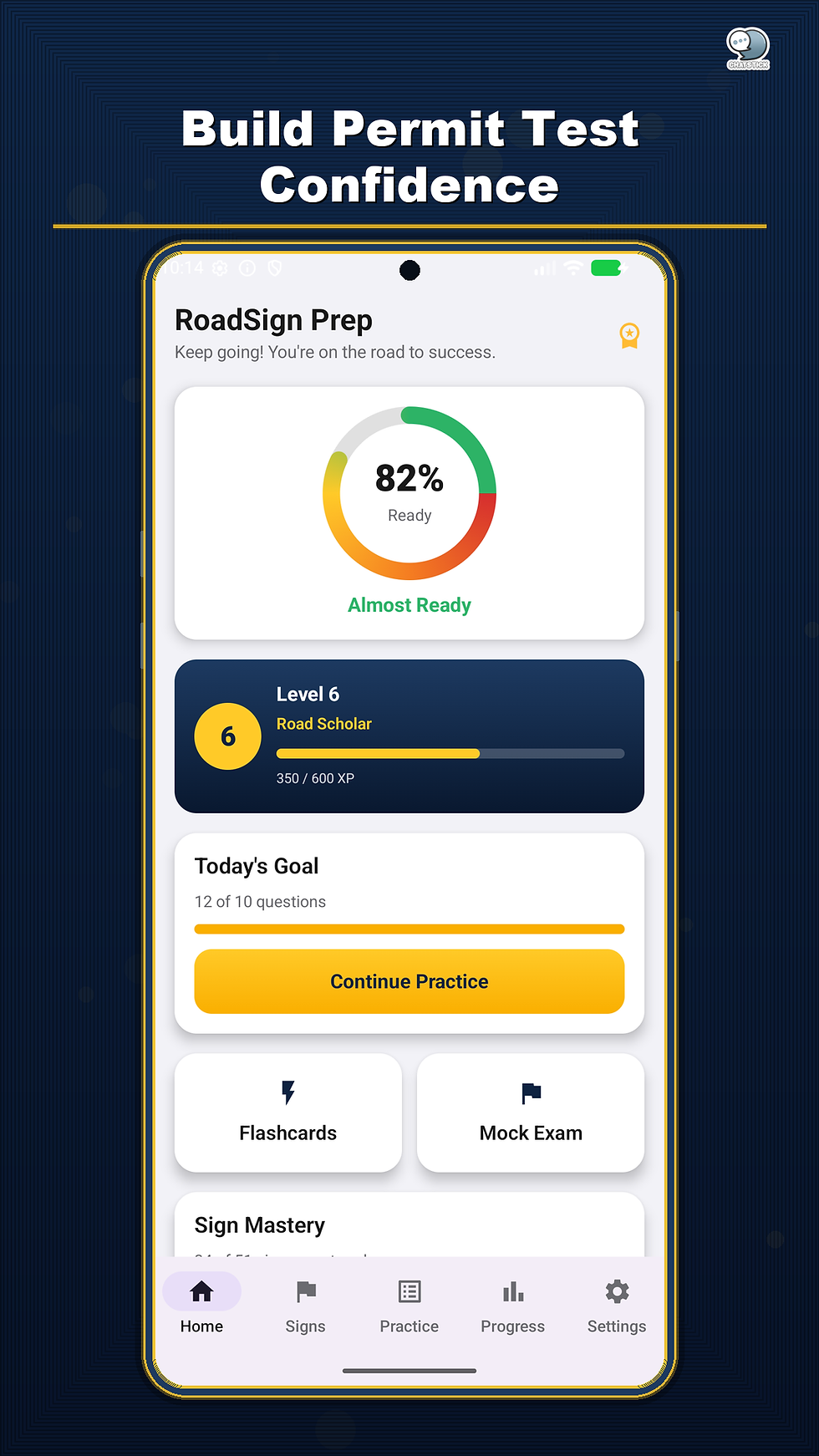
RoadSign Ace Permit Prep by CS is an Education app for Android that helps new drivers study road signs, traffic rules and DMV-style permit questions. It covers 51 road signs with clear meanings, driver actions, common mistakes and examples, 170 permit-style questions across 15 driving topics, and 9 timed mock exams. That lines up with almost every tip above.
How to apply these tips with RoadSign Ace
Sign library by category: review warning, regulatory, guide, construction, school zone, railroad, parking, pedestrian, bicycle, highway and emergency-service signs.
Flashcards: test sign recognition visually before checking the answer.
Quick 10-question sessions: ideal when you only have a few minutes, so you can keep a daily habit.
Topic practice: road signs, traffic signals, right-of-way, speed limits, parking rules, lane usage, school buses, defensive driving and more.
Explanations after every question: see why an answer is right as soon as you respond.
Mistake Notebook and weak-topic review: missed questions are collected automatically, and you can review your weakest topics based on real results.
9 timed mock exams: quick, standard, full, signs-only, rules-only, mixed and challenge exams.
Progress and motivation: track readiness, accuracy, daily goals, streaks and mastered signs, earn XP, levels and 21 achievements, save favorites, and set optional reminders with a test-date countdown.
A sample two-week study plan
Days 1 to 4: learn one sign category at a time and finish each day with a round of flashcards.
Days 5 to 9: practice one or two driving topics per day and read every explanation.
Days 10 to 12: work through your Mistake Notebook and review your weakest topics.
Days 13 to 14: take timed mock exams, check your readiness, and reread your state's official handbook before test day.
App details at a glance
Price: free to download with free core content. The app contains ads and offers a one-time Unlock All Features in-app purchase that removes ads and unlocks the full sign library, premium topics, all mock exams, advanced analytics, the complete Mistake Notebook and unlimited weak-topic review.
Platform: Android via Google Play (Education category, rated 3+).
Developer: ChatStick Co., Ltd.
Disclaimer: an independent study tool, not affiliated with any DMV or government agency, and it does not guarantee passing any official test.
Frequently asked questions
Who is RoadSign Ace Permit Prep for?
New drivers who want to learn road signs and traffic rules and practice DMV-style permit test questions on an Android phone.
How much content does the app include?
51 road signs, 170 permit-style questions across 15 driving topics, and 9 timed mock exams.
Is it free?
Yes, the app is free to download and the core content is free. It contains ads, and an optional one-time purchase removes ads and unlocks all features.
Is this an official DMV app?
No. It is an independent study tool developed by ChatStick Co., Ltd. and is not affiliated with any DMV or government agency. Always confirm rules in your state's official driver handbook.
Conclusion
Passing the written permit test is less about long study sessions and more about a smart routine: group the signs, learn the required actions, practice daily by topic, review your mistakes and finish with timed mock exams. If you want one place for a sign library, topic practice, explanations, a Mistake Notebook and mock exams, RoadSign Ace Permit Prep on Android is an easy, free way to start today.
See all ChatStick Android apps at ChatStick on Google Play


Comments